30 December 2025
Restaurant Operations & Management
How Restaurant Inventory Management Works in POS Software
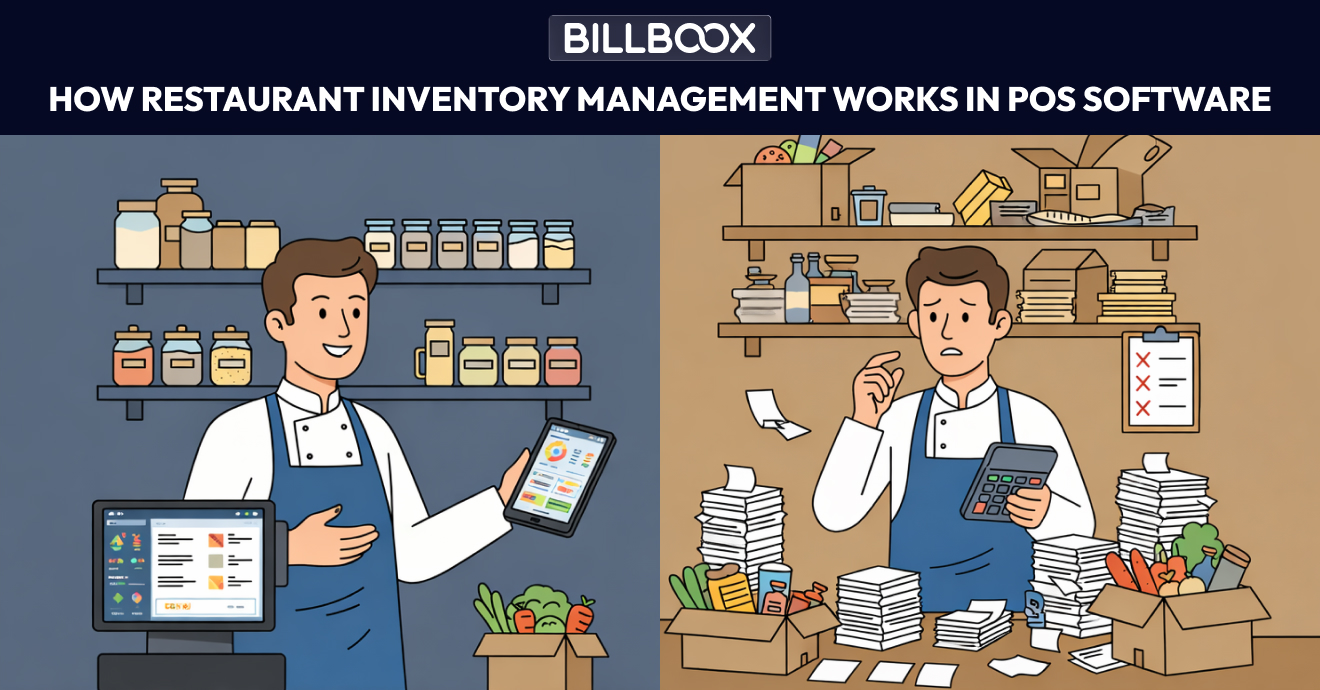
How Restaurant Inventory Management Works in POS Software
Running a restaurant is not just about good food and service. Behind every profitable kitchen is tight control over inventory. When ingredients go missing, stock records don’t match reality, or food costs slowly rise, the problem usually lies in how inventory is managed.
This is where restaurant inventory management software built into a POS system becomes essential for day-to-day operations.
Restaurant POS inventory management connects billing, kitchen operations, and ingredient tracking into one automated system. Instead of manually updating stock registers or spreadsheets, inventory updates in real time based on actual sales activity, reducing errors and improving cost control.
In this article, we’ll explain how inventory management works inside POS software, why traditional methods fail as restaurants grow, and what restaurant owners should understand before relying on inventory automation.
What Is Restaurant POS Inventory Management?
Restaurant inventory management in a POS system means tracking ingredients, stock movement, and usage automatically through billing and daily operations.
Instead of manually updating stock registers or spreadsheets, inventory is adjusted in real time when:
- A bill is generated
- A menu item is sold
- Ingredients are consumed
- Stock is received or transferred
This direct connection between sales and stock is what differentiates modern inventory management POS systems from manual methods.
To understand how this integrates with daily billing, you can explore our detailed guide on
👉 Restaurant POS Software
Why Manual Inventory Methods Break Down
Many restaurants begin with notebooks, Excel sheets, or basic inventory apps. These approaches may work initially but fail as soon as operations become busy.
Common problems include:
- Stock updated only once per day
- Sales data not matching inventory data
- No visibility during peak hours
- Missed wastage and pilferage
- Reordering based on assumptions
As order volume increases, these gaps turn into silent profit leaks.
Restaurants using inventory management POS systems integrated with billing software avoid these mismatches because stock updates automatically with each sale.
How Real-Time Inventory Tracking Works in Restaurants
Real-time inventory tracking means stock levels update instantly as transactions happen inside the POS system.
1. Ingredient-Level Mapping
Every menu item is mapped to its ingredients.
For example:
- A paneer dish → paneer, oil, spices
- A pizza → dough, cheese, toppings
When a dish is billed, the system automatically reduces the exact quantity of ingredients used. This forms the foundation of accurate food inventory software.
2. Real-Time Stock Deduction
POS-based inventory works instantly.
- Orders placed → stock deducted immediately
- Cancellations → stock adjustments reversed
- Complimentary items → stock still reduced
This allows restaurant owners to see live stock status, even during rush hours.
Learn more about how
👉 Inventory Management POS Systems maintain live stock accuracy.
3. Purchase & Stock Inward Tracking
Inventory management POS software also tracks stock coming into the restaurant:
- Supplier purchases
- Manual stock additions
- Inter-kitchen or inter-outlet transfers
As stock is added, available quantity and cost values update automatically, ensuring stock management in restaurants reflects actual inventory levels.
4. Wastage & Variance Recording
Wastage is unavoidable in food businesses, but it must be tracked.
Modern restaurant POS inventory systems allow restaurants to:
- Record spoilage
- Log expired items
- Track preparation waste
Separating sales usage from wastage helps owners identify where losses are actually happening.
5. Low Stock Alerts & Reorder Visibility
Once minimum stock levels are defined, inventory systems can:
- Alert when ingredients run low
- Highlight reorder quantities
- Reduce emergency purchasing
This shifts inventory decisions from reactive to planned.
Difference Between POS and Standalone Inventory Software
Many restaurant owners compare POS-based inventory systems with standalone inventory tools.
| POS Inventory System | Standalone Inventory Software |
|---|---|
| Connected directly to billing | Requires manual stock updates |
| Real-time deduction | Delayed adjustments |
| Ingredient-level mapping | Often manual configuration |
| Centralized reports | Separate reporting system |
| Better operational visibility | Limited operational integration |
A restaurant POS inventory system reduces dependency on manual updates and ensures stock reflects actual sales activity.
Does a POS Track Kitchen Inventory?
Yes, a restaurant POS can track kitchen inventory when recipes are properly mapped to ingredients.
Each time a dish is billed, the system automatically deducts the corresponding ingredient quantities from stock. However, accurate tracking depends on:
- Proper recipe configuration
- Correct unit setup
- Regular physical stock verification
POS inventory software improves accuracy, but physical audits are still necessary.
Inventory Reports That Matter for Restaurants
Good restaurant inventory management software focuses on actionable insights rather than unnecessary complexity.
Useful reports typically include:
- Current stock summary
- Ingredient consumption trends
- High-usage and high-cost items
- Wastage reports
- Stock variance analysis
These reports help owners control food costs without constant manual supervision.
Real-World Inventory Challenges Restaurants Face
In growing restaurants, food costs often increase by 3–7% annually due to untracked wastage, portion inconsistencies, and stock mismatches.
Restaurants that switch to POS-based inventory management systems typically gain:
- Better daily food cost visibility
- Reduced ingredient pilferage
- Improved purchase planning
- Clearer outlet-level consumption tracking
Inventory management becomes measurable and data-driven instead of assumption-based.
Who Benefits Most From POS Inventory Management?
Inventory-linked POS systems are especially valuable for:
- High-volume restaurants
- Cloud kitchens and delivery-focused brands
- Restaurants with multiple suppliers
- Owners struggling with food cost control
If you're evaluating whether POS-based inventory management fits your restaurant, seeing a live workflow demonstration can provide clarity.
👉 Book a Free Demo of BillBoox POS
Frequently Asked Questions(FAQs)
1. What is restaurant inventory management software?
Restaurant inventory management software helps restaurants track ingredients, stock movement, purchases, and wastage digitally. When integrated with a POS system, inventory updates automatically based on actual sales and operations.
2. How does inventory management work in a POS system?
Each menu item is mapped to ingredients. When a dish is sold, the system deducts ingredient quantities automatically. Purchases and wastage are also recorded to maintain accurate inventory levels.
3. What is the difference between inventory management POS and standalone inventory software?
Standalone software requires manual updates. POS-based inventory connects directly to billing and updates stock automatically in real time.
4. What is real-time inventory in restaurant POS?
Real-time inventory means stock adjusts instantly whenever a sale, cancellation, or modification happens in the POS.
5. Can POS reduce food wastage?
Yes. By tracking ingredient consumption and recording wastage separately, POS inventory systems help restaurants identify and reduce losses.
Final Takeaway
Inventory management inside POS software connects sales, ingredients, and stock into one reliable system.
When inventory moves automatically with real restaurant activity, owners gain:
- Better cost control
- Fewer stock surprises
- Clearer purchasing decisions
- Sustainable profit margins
For restaurants aiming to grow without losing operational control, POS-based inventory management becomes a practical necessity.
tags :
Restaurant inventory management software
Inventory management pos
Restaurant pos inventory
Food inventory software
Stock management restaurant
Restaurant operations