25 January 2026
Restaurant Operations & Management
How Table Management in POS Software Improves Peak-Hour Service
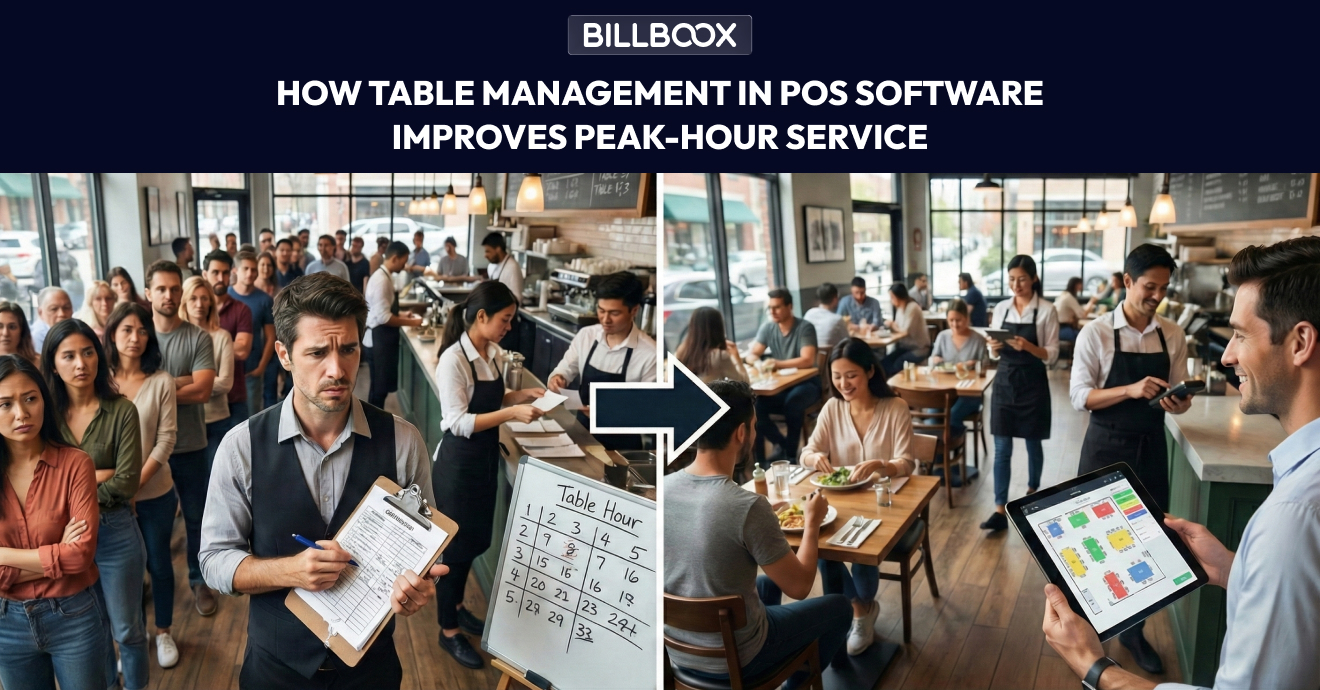
Peak hours in a restaurant are where everything gets tested: your staff speed, kitchen coordination, customer patience, and your ability to keep tables moving without confusion.
One late order, one wrong table assignment, or one missed reservation can create a chain reaction:
- Guests wait longer
- Staff gets stressed
- Kitchen gets overloaded
- Reviews drop
- Sales leak silently
In simple words, a table management POS helps you seat guests faster, track table-wise orders, and finish billing quickly. This improves table turnover and customer experience during rush hours.
This becomes even more important during Friday dinner rush, Sunday lunch, and festival weekends, when table turnover decides your daily sales.
That’s exactly why more restaurants are switching to restaurant table management software built inside a POS system. If you want to understand the basics first, read this guide: What Is Restaurant POS Software? Meaning, Basics & Benefits Explained before choosing the right POS features for your restaurant.
In this blog, we’ll break down how a POS table system improves peak-hour service, reduces errors, and helps you manage seating, orders, and billing like a well-organized team - even on your busiest nights.
What Is Restaurant Table Management Software?
Restaurant table management software is a feature inside modern POS systems that helps you manage:
- Table status (vacant / occupied / reserved / billed)
- Seating & table assignment
- Running orders per table
- Splitting bills and merging tables
- Table transfer between staff
- Guest wait time tracking
- Real-time visibility for managers
Instead of relying on paper, memory, or shouting across the floor, your team gets a live table map that shows exactly what’s happening.
That’s why it’s also commonly called:
- table management POS
- restaurant seating software
- table order management
- POS table system
Why Peak Hours Feel Unmanageable (Even With a Great Team)
Peak-hour problems usually don’t happen because staff is lazy or slow.
They happen because the system is weak.
Here are the most common peak-hour breakdowns restaurants face:
1) “Which table is free?” confusion
When tables are managed manually, staff often wastes time just figuring out where to seat the next customer.
2) Wrong table orders
A waiter might accidentally place an order under the wrong table, especially when the restaurant is packed.
3) Table turnover becomes slow
Even if food is served quickly, billing delays and miscommunication keep tables stuck.
4) Staff-to-kitchen coordination breaks
If orders are not organized properly by table and time, the kitchen gets sudden overloads.
5) No real-time visibility for managers
Managers end up running around asking:
- “Table 5 ka bill hua?”
- “Table 2 ka order gaya kya?”
- “Table 8 ka starter pending hai?”
All of this costs time and revenue.
How Table Management in POS Software Fixes Peak-Hour Service
A smart table system doesn’t just “show tables.”
It helps your restaurant run faster, smoother, and with fewer mistakes.
1) Real-Time Table Status = Faster Seating
With restaurant seating software, your team instantly sees:
- which tables are empty
- which are occupied
- which are reserved
- which are waiting for billing
This reduces the biggest peak-hour time waste: guessing.
✅ Result: Faster seating + shorter waiting lines.
2) Organized Table Order Management = Fewer Mistakes
When your POS is built for table order management, every order is tied to a table.
So even during rush hours:
- orders go to the correct table
- repeat items don’t get missed
- special instructions stay attached
For example:
- “No onion”
- “Less spicy”
- “Extra cheese”
- “Half plate / full plate”
✅ Result: Less order confusion + fewer wrong dishes + better customer experience.
3) Table Transfers Become Easy (No Panic)
During peak hours, this happens a lot:
- A customer changes seats
- A group merges tables
- A table gets reassigned to another waiter
- A family wants a bigger table
In manual systems, this creates chaos.
With a table management POS, you can:
- transfer orders from Table A to Table B
- move the bill to another table
- merge tables with one click
✅ Result: Smooth operations even when customers move around.
4) Faster Billing = Faster Table Turnover
Peak hour revenue depends heavily on one thing:
How quickly you can serve + bill + free tables.
A POS table system helps you generate bills instantly with:
- split bills (individual payments)
- merged bills (combined group)
- partial payments (advance + remaining)
- multiple payment modes
When billing becomes fast, tables clear faster.
✅ Result: Higher table turnover = higher sales in the same time.
5) Better Control Over Reservations & Walk-ins
Many restaurants struggle balancing:
- reserved tables
- walk-in customers
- waiting list
A good restaurant table management software helps you plan seating smarter:
- block reserved tables
- allocate walk-ins without disturbing bookings
- avoid double-booking
Even a simple table status view can prevent major peak-hour mess.
✅ Result: Less customer frustration + better dining flow.
6) Kitchen Timing Improves Automatically
When tables are managed properly, the kitchen gets orders in a clean sequence.
Instead of random overload, the kitchen sees:
- table-wise orders
- item-wise priority
- pending orders by time
This helps kitchen staff handle rush hours more calmly.
✅ Result: Faster food output + fewer delays + better coordination.
7) Managers Get One-Screen Visibility
During rush hour, managers shouldn’t be running around asking questions.
With table management POS, managers can instantly see:
- which tables are stuck
- which orders are delayed
- which tables are waiting for bill
- which staff is overloaded
This makes it easier to take quick decisions:
- send support to a section
- speed up billing
- prioritize a delayed table
✅ Result: Better control + better customer satisfaction.
If you want to take better decisions during rush hours using real data (sales, staff performance, peak timing), read this guide: How Real-Time Reports Help Restaurant Owners Make Better Decisions.
Real Example: What Changes After Using a POS Table System?
Let’s imagine a typical busy dinner hour.
Before (Manual Table Handling)
- Customers wait even when tables are available
- Wrong orders happen due to confusion
- Billing takes too long
- Staff argues about table responsibility
- Manager spends time fixing problems
After (Table Management in POS)
- tables are assigned instantly
- orders are tracked table-wise
- bills are generated in seconds
- tables turn faster
- staff works confidently
Even if your food is amazing, peak-hour service decides repeat customers.
Key Features to Look for in Restaurant Table Management Software
Not every POS has a strong table system.
If you’re selecting or upgrading, look for these must-have features:
✔ Table Layout / Floor Map View
A visual view of tables is faster than a list.
✔ Table Status Colors (Vacant / Occupied / Reserved / Billed)
Staff can understand instantly without asking.
✔ Table Transfer & Merge
Peak-hour flexibility is important.
✔ Split Billing & Multiple Payments
Because groups often pay separately.
✔ Staff-wise Table Assignment
Helps manage sections and accountability.
✔ Real-Time Order Tracking by Table
So nothing gets missed.
✔ Fast Billing + Quick Checkout
Direct impact on table turnover.
How Table Management Improves Customer Experience
Customers may not understand your software.
But they feel the result.
With better table management, customers experience:
- shorter waiting time
- faster order taking
- fewer mistakes
- smoother billing
- less staff confusion
- overall “professional” service
This directly improves:
- repeat visits
- Google reviews
- word-of-mouth
- peak-hour revenue
Peak-Hour Service Metrics That Improve With Table Management POS
If you want to measure improvement, track these:
- Average waiting time
- Table turnover rate
- Order error rate
- Average billing time
- Number of complaints during rush hour
- Staff efficiency per section
Even small improvements here create big business growth.
Who Needs Restaurant Table Management Software the Most?
This system helps almost every restaurant, but it’s especially valuable for:
- restaurants with 10+ tables
- family dining restaurants
- cafés with high footfall
- restaurants with sections (AC / Non-AC / Outdoor)
- multi-floor restaurants
- restaurants with weekend rush
- restaurants handling groups and parties
If your peak hours feel stressful daily, table management is not optional - it’s a survival tool.
Common Mistakes Restaurants Make Without Table Management
Many restaurants think they are managing fine, but these mistakes silently reduce revenue:
- seating customers randomly instead of strategically
- not tracking which tables are delayed
- forgetting orders during rush
- billing late and losing turnover
- staff miscommunication about table responsibility
A POS table system reduces these issues automatically.
Final Thoughts: Table Management Is Not Just “Seating” - It’s Revenue Control
Peak-hour service is where restaurants win or lose money.
Using restaurant table management software inside your POS helps you:
- seat faster
- take orders accurately
- reduce confusion
- bill quickly
- increase table turnover
- improve customer experience
If your restaurant is busy but still feels chaotic, it’s usually not a people problem - it’s a system problem.
And table management is one of the fastest fixes. If you want to reduce peak-hour chaos and improve table turnover, a POS with smart table management is one of the fastest upgrades you can make. Even small changes in seating + billing speed can increase daily revenue without increasing staff.
Frequently Asked Questions(FAQs)
1) What is restaurant table management software?
Restaurant table management software helps restaurants track table availability, seating, orders, and billing in real time. It reduces confusion and improves peak-hour service.
2) How does a table management POS improve peak-hour operations?
A table management POS shows live table status, links orders to tables, supports table transfers, and speeds up billing - helping restaurants serve more customers with fewer errors.
3) What is the difference between restaurant seating software and POS table system?
Restaurant seating software focuses on table assignment and guest flow. A POS table system includes seating plus order management, billing, and staff tracking - all in one.
4) Can table order management reduce wrong orders?
Yes. Table order management ensures every order is assigned to the correct table and stays organized, reducing wrong orders and missed items during rush hours.
5) Is table management useful for small restaurants?
Yes, especially if you have multiple tables and peak-hour rush. Even small restaurants benefit from faster seating, fewer mistakes, and quicker billing.
6) What features should I look for in table management POS?
Look for floor map view, table status tracking, table transfer/merge, split billing, staff assignment, and real-time order tracking.
tags :
Restaurant table management software
Table management pos
Restaurant seating software
Pos table system
Table order management
Restaurant pos software
Peak hour service
Restaurant operations